REC
ISO 100F/2.81/250
Streetwear Culture
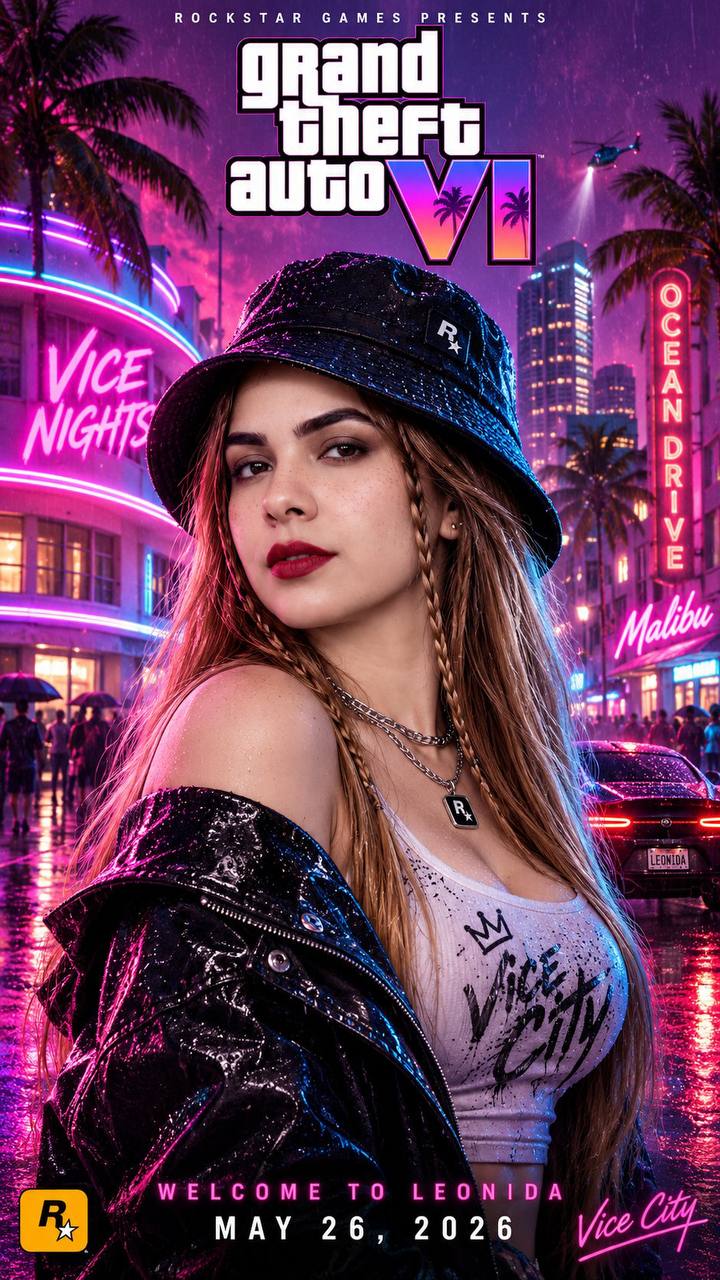
#neon lights. rainy nights. welcome to vice city. 🌴🔥
gta 6 is where the next chapter begins. are you ready for leonida? 🎮
🎁VIP Access: 3-Day VIP Studio Trial • 4K RendersCancel Anytime
AI Model StyleFree to try
Prompt Used:
Ultra-realistic cinematic GTA 6 style movie poster, vertical 9:16 format. A young woman in the center, medium close-up portrait, looking over her shoulder with a calm, confident side glance. She wears a black bucket hat, a glossy wet black leather jacket, a white graffiti-print tank top, layered silver necklaces with a pendant, and has long straight honey-blonde hair with two thin braids on both sides of her face.
Setting: Vice City at night in light rain. Wet street reflecting neon lights. On the left, a glowing pink and blue neon sign reading "VICE NIGHTS" on a curved art-deco building. On the right, a vertical pink-red neon sign reading "OCEAN DRIVE" and a "Malibu" neon sign. Palm trees silhouetted against a purple-pink sky, a sleek dark sports car with glowing red tail lights parked on the wet road, blurred crowds and city skyscrapers in the background.
Lighting: strong magenta, pink, cyan, and electric blue neon rim lighting on her face and jacket, soft rain droplets, cinematic bokeh, glossy reflections, high contrast, volumetric glow, retro-futuristic synthwave atmosphere.
Text layout: at the top small spaced text "ROCKSTAR GAMES PRESENTS", below it the large stylized "Grand Theft Auto VI" logo with a purple-pink gradient, GTA 6 clearly written. At the bottom, pink glowing text "WELCOME TO LEONIDA" and below it in white "MAY 26, 2026". Rockstar Games "R★" logo at bottom left, and a pink neon script "Vice City" signature at bottom right.
Style: hyper-detailed, 8K, shallow depth of field, 85mm lens, film grain, game cover art, professional movie poster composition.
About This Streetwear Culture Style
This visual artwork was created using PhotoForge AI's advanced portrait rendering pipeline. It combines studio lighting physics, depth-of-field simulation, and realistic facial preservation technology. You can apply this exact aesthetic to your own photos, change the background, customize outfits, or build complete AI photoshoot packs in seconds.
Step 1
Upload Your Photo
Select a clean front-facing selfie or portrait from your camera roll or desktop.
Step 2
Apply Style & Prompt
Use this pre-configured prompt or tweak the lighting, clothing, and background parameters.
Step 3
Export in 4K Ultra-HD
Download high-resolution 4K exports ready for LinkedIn, Instagram, Tinder, or commercial use.
Want to explore more AI tools?